By Andrew E. Freedman
During the Steam Controller review process, Tom’s Hardware spoke with Valve programmer Pierre-Loup Griffais and Steam Controller mechanical engineer Steve Cardinali about the hardware and the thinking behind it. The conversation below covers its relationship to Steam Deck, connection options, software requirements, and development decisions, with questions and responses edited and condensed for clarity.
Why build another Steam Controller?
Andrew E. Freedman, Tom’s Hardware: With Xbox controllers widely treated as the PC default and PlayStation support improving, why return to controllers now?
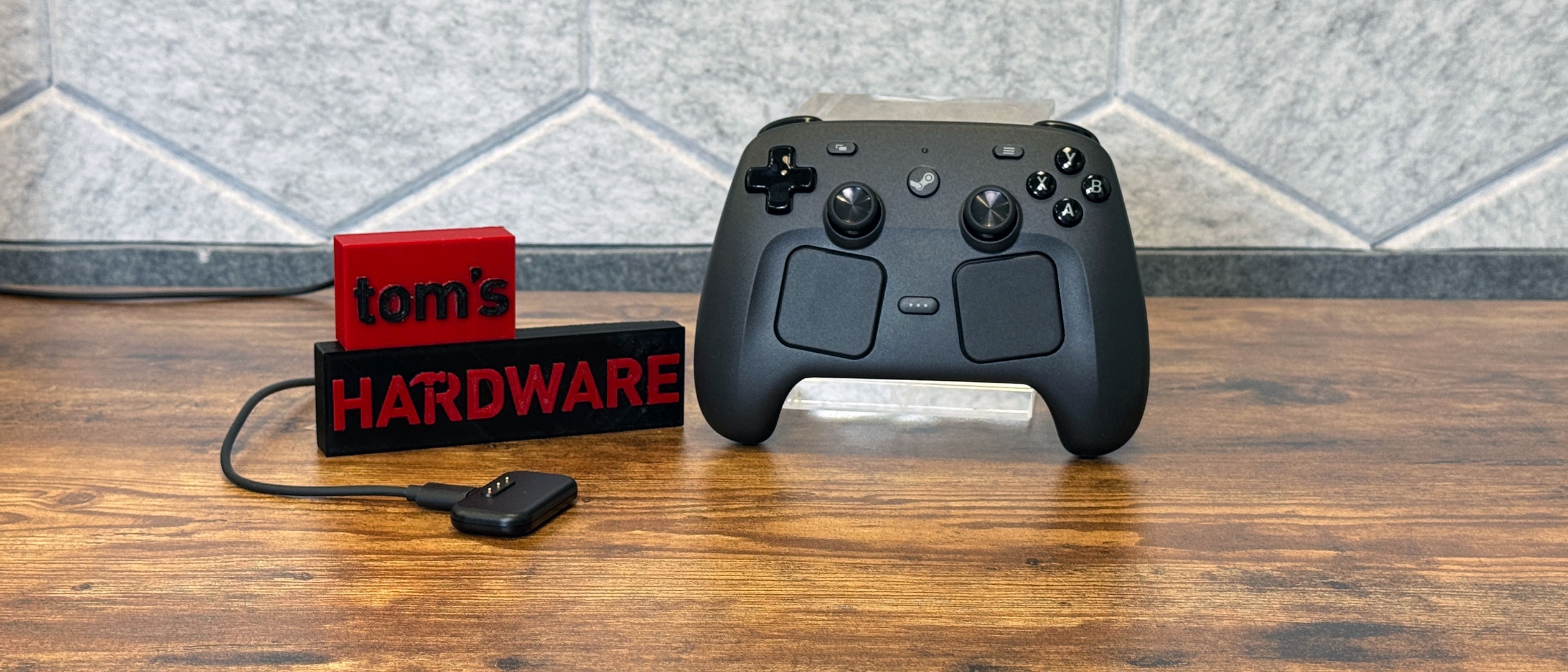
Pierre-Loup Griffais: Valve has been working closely with Sony to improve out-of-the-box PlayStation controller support. The new Steam Controller and Steam Machine grew out of feedback from Steam Deck owners using their handhelds in different ways, including docked to a TV. They liked retaining the same interface and quick access to games, but docking meant leaving the Deck’s built-in inputs behind.
The Steam Controller supplies essentially the same layout, with improvements, as a separate device. Steam Deck also demonstrated that this input scheme works for controller-oriented games, games built without controller support, desktop navigation, and PC applications. Offering those controls independently was a logical next step.
Freedman: Setup is minimal: update the firmware, learn how to enter Big Picture Mode, and start playing. Getting more out of it pushed me deeper into Steam Input than before. Did you consider more guidance for newcomers?
Steve Cardinali: The immediate experience was deliberately designed for people who simply want a familiar controller that works. However, years of development across the original Steam Controller, Steam Deck, and this controller have added considerable depth to Steam Input. The team is preparing rounds of tutorials covering trackpad setups, gyro configuration, and mappings and layouts it has found effective. The aim is to introduce those possibilities without overwhelming people.
Griffais: None of that should be compulsory. Games designed for controllers should offer basic controller functionality without tinkering; Steam Input’s additional configuration is available when wanted.
Freedman: Could something like Steam Deck’s Aperture Desk Job introduce the controls to people using this on a desktop or, eventually, a Steam Machine?
Griffais: There have been discussions about adapting Desk Job, although I do not know their current status. About 99% of it already teaches controller functions. One stage involves the Deck touchscreen and possibly a microphone, so adjustments could allow it to teach motion controls, trackpads, and similar features using only a Steam Controller on a PC.
Freedman: Moving from Resident Evil 9 on my Steam Deck to this controller felt very familiar. How did you choose which standard and higher-end controller features to include—for example, back buttons and gyro, but not replaceable thumbsticks or back paddles?
Cardinali: Familiarity for Steam Deck owners was the guiding principle. Moving from the handheld to a couch should not require learning a different device or changing input layouts. That kept the feature set largely aligned with Steam Deck.
Grip Sense was the main addition. We want to support mouse-and-keyboard games, including competitive ones, with controller inputs. The original Steam Controller helped establish that approach, and the new model carries forward trackpads and gyro. As the gyro community has grown, players have developed ways to enable and disable gyro for ratcheting. Grip Sense was included to support those techniques competitively.
Beyond that, we avoided adding excessive cost, weight, or battery consumption. The goal was a broadly useful controller built around essential features, with Grip Sense as an additional capability.
Griffais: Similar considerations shaped Steam Deck. More inputs are not automatically better: user burden, weight, and cost all matter. Back buttons addressed a specific limitation we saw even with the first Steam Controller—players wanted access to game actions while adjusting the camera. Some used a claw grip to reach the diamond buttons without giving up stick control.
Four back buttons tested well on Steam Deck. They are disabled by default and sit within the grip, so users can ignore them. Grip Sense follows the same principle: it adds functionality without requiring a different approach from people who do not use it. Integrating it took work, but did not compromise the core layout. The diamond buttons, bumpers, triggers, and analog sticks still needed to sit where players expected, with extra controls and configuration available optionally.
Why TMR sticks made the cut
Freedman: TMR joysticks did not appear in Steam Deck or Steam Deck OLED. Why introduce them here?
Griffais: We explored using them in both Deck models, but the technology and suppliers were still relatively new. We saw their value and tried hard to make them work. By the Steam Controller development timeframe, they were mature enough to use.
Freedman: What determined the choice between TMR and Hall effect?
Cardinali: We primarily considered which implementation felt mature enough and which we were comfortable shipping. TMR offers the same advantages as Hall effect, with lower power consumption as an additional benefit, reducing the battery-life cost of the sticks.
Freedman: Why omit a headphone jack for couch audio and chat?
Griffais: We evaluated it and recognize its value, but audio bandwidth, added expense, and system-design complexity made it difficult to productize. Other features took priority this time.
The Puck and wireless latency
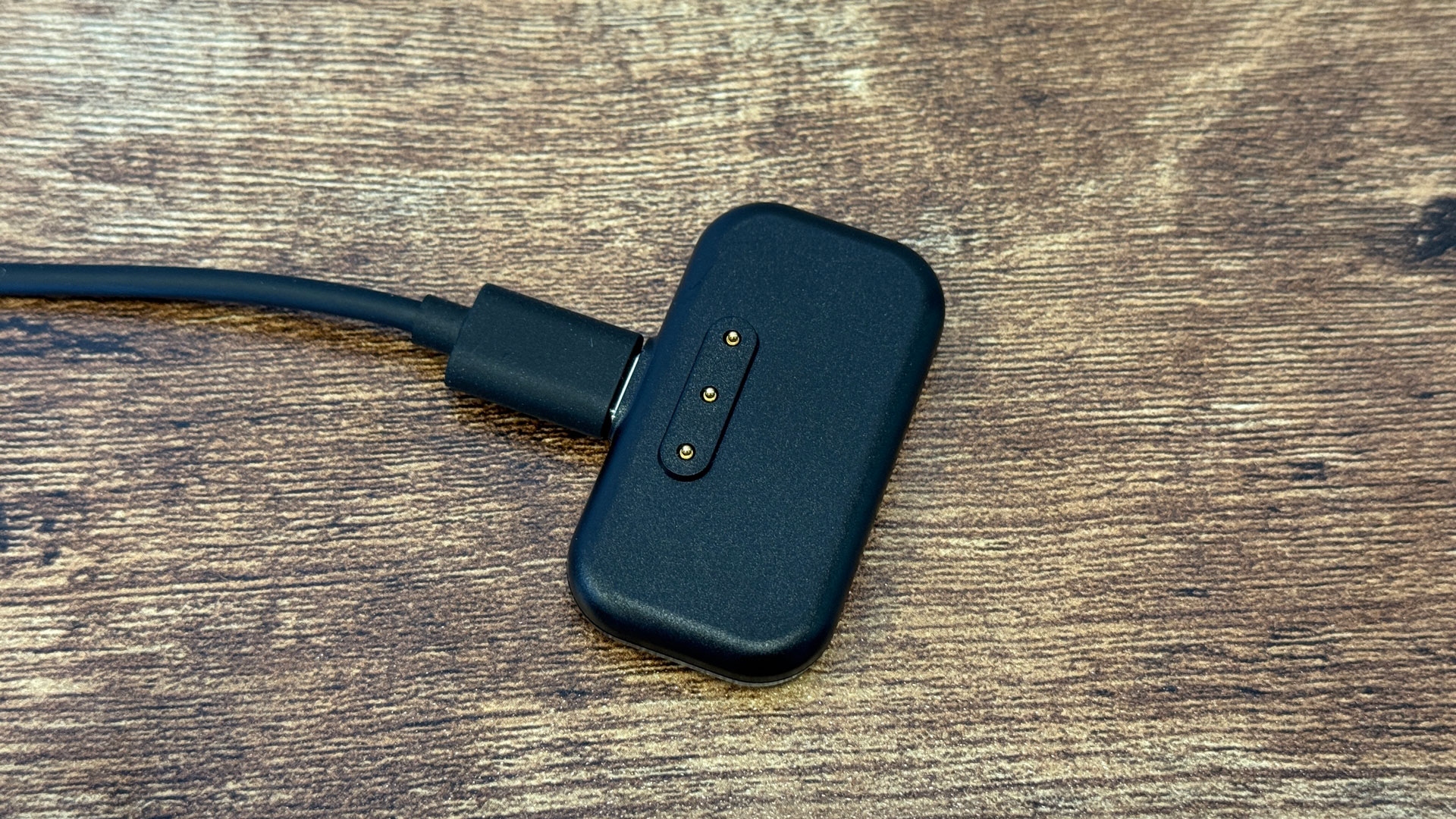
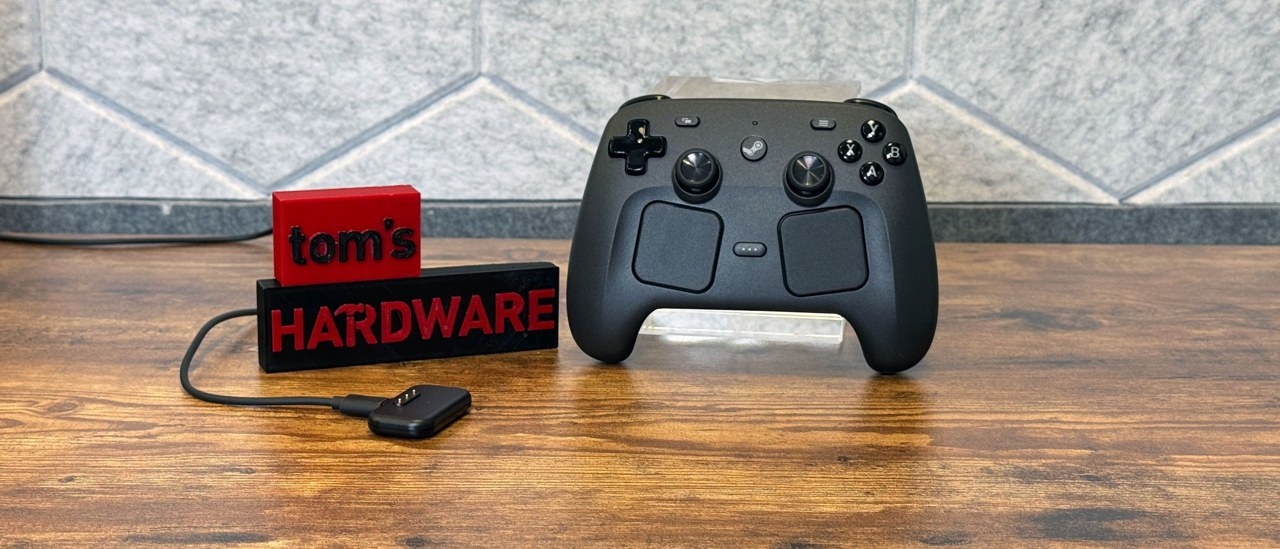
Freedman: Controller docks are usually much larger. How did the 2.4 GHz wireless receiver become a compact charger? I found it so natural to put the controller on it that measuring battery life became difficult.
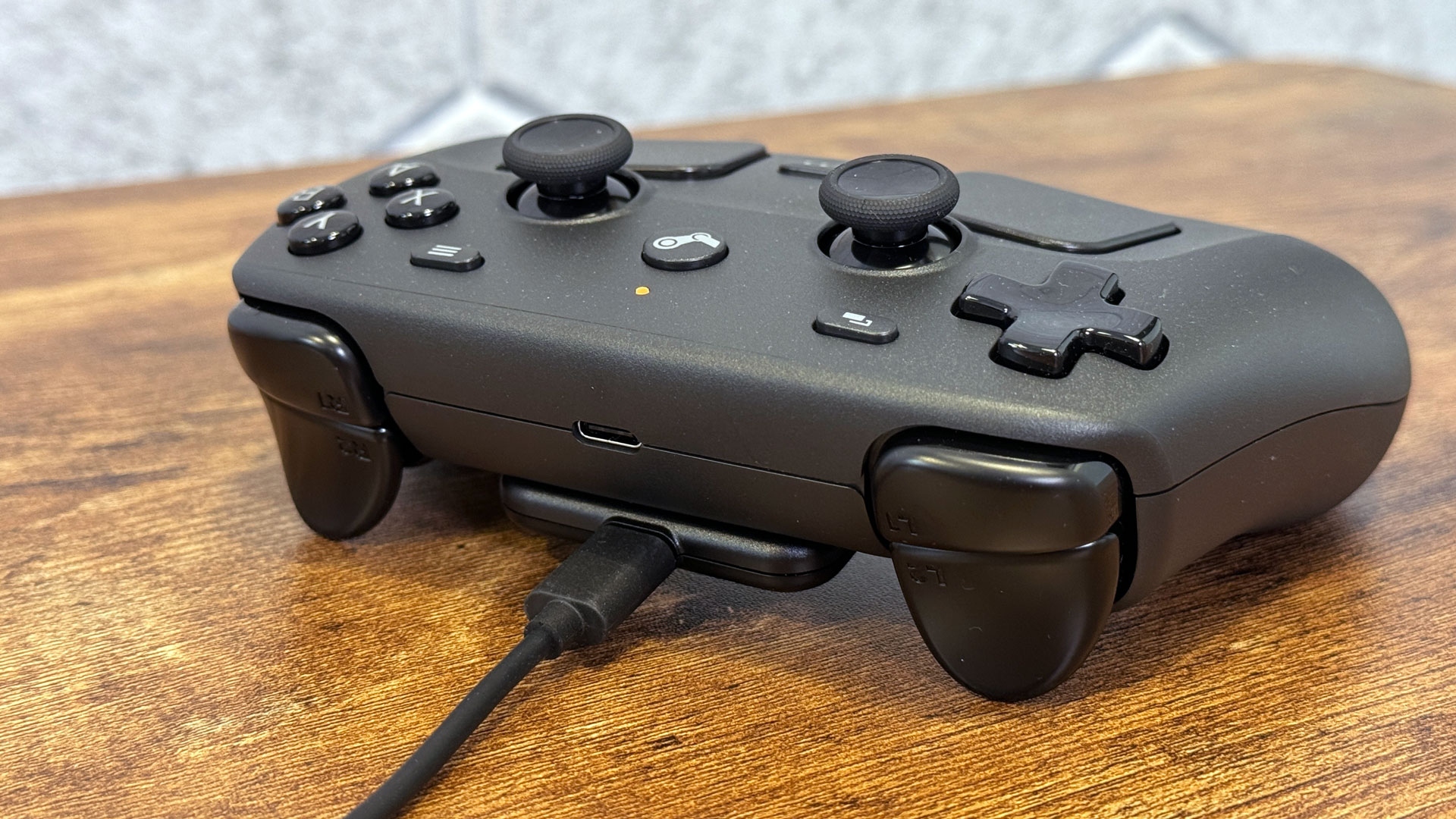
Cardinali: That natural placement was one of the goals. We wanted a proprietary wireless connection so we could control communication end to end and provide robust, low-latency performance. Asking customers to accommodate a dongle creates a burden; a dock adds value, but a large one consumes desk space.
Keeping the Puck small also leaves room for customization. Our maker community is active, and people inside Valve have already designed and printed mounts that turn it into a full dock. Its size lets others decide how to incorporate it rather than prescribing a particular arrangement.
It also snaps into place with a satisfying click, avoiding the need to plug in the controller. The design emerged from several linked concerns: providing the wireless connection, moving it away from the PC to address interference, and making everyday use convenient.
Freedman: You recommend Bluetooth 5 or higher and use a 250 Hz polling rate, while some devices reach 8,000 Hz. How did you decide what was needed for latency?
Griffais: We started with the actual experience and the update rates of the components. Digital buttons, trackpads, analog triggers, and sticks have different characteristics governing how quickly the MCU [microcontroller unit] can poll them. The transport to the PC should not restrict what those parts can deliver. That informed the core update rate.
With one controller, Bluetooth performance is quite comparable to the Puck’s direct connection. The limitation becomes apparent when more controllers are connected: two controllers over Bluetooth double the latency, and it continues increasing until even people not specifically watching for it can notice. Our custom protocol supports up to four controllers on one Puck without a latency penalty. The underlying target remains the performance of the controller’s components.
Why Steam is central to support
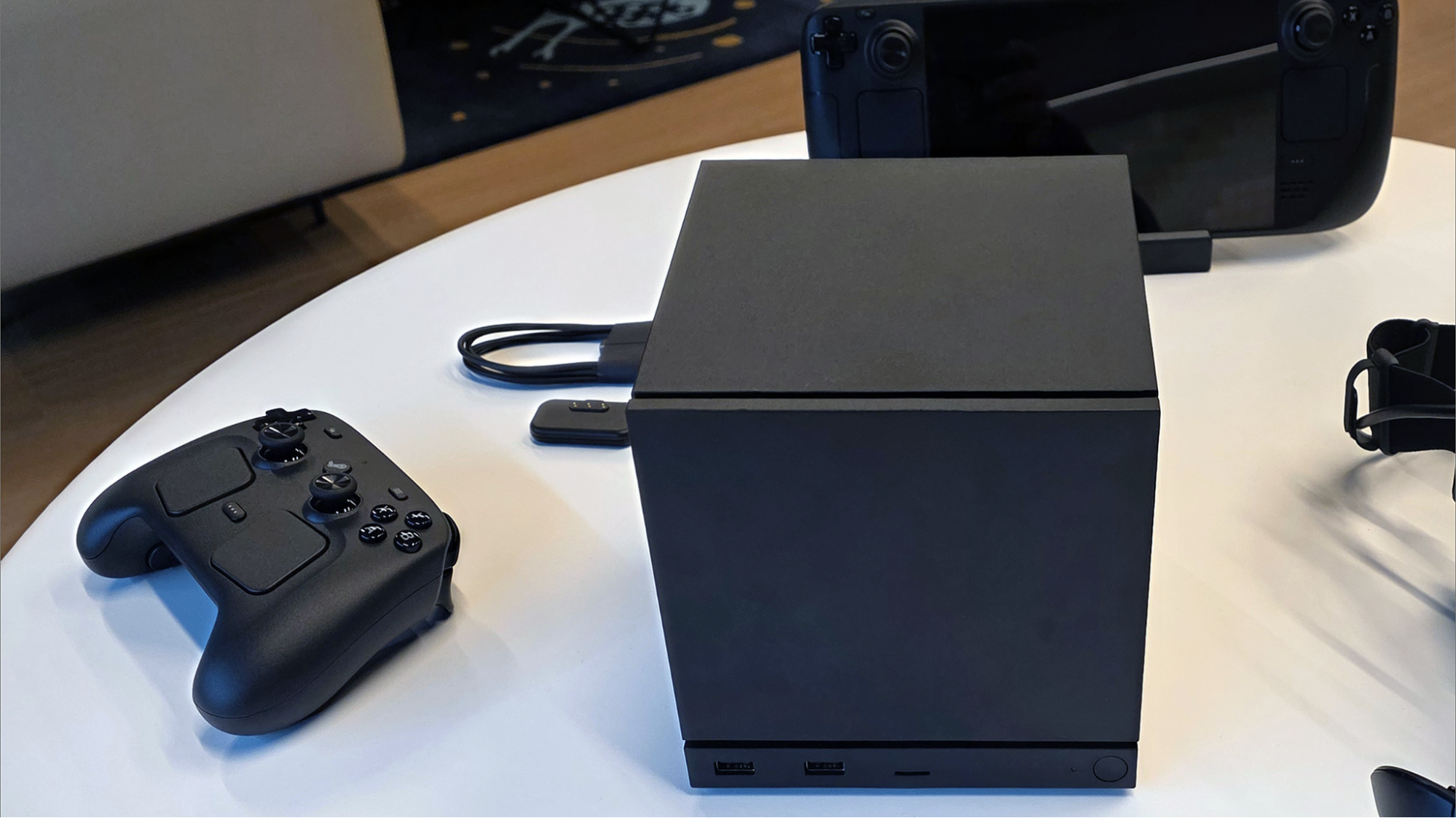
Freedman: Outside Steam on Windows and macOS, the controller appears as a USB mouse; I saw the same behavior on a PlayStation. Why not provide broader standalone controller support?
Griffais: Linux is an exception: we built a driver into the Linux kernel that provides baseline gamepad support without Steam running. Other platforms do not currently have an equivalent. On Windows, macOS, and other devices, the default is a composite USB mouse-and-keyboard device, allowing basic navigation with mouse movement, arrow keys, escape, and enter.
Working as a PlayStation controller on PlayStation or an Xbox controller on Windows involves those platforms’ driver frameworks and licensing programs. Steam Controller also has its own inputs, beyond simply assigning additional buttons to standard controller functions. There is little precedent for exposing that full functionality through standard drivers.
One possible result would be separate operating modes, such as a PlayStation mode and a full-featured mode. We did not think the added complexity for users, cost, and hardware would be worthwhile.
Instead, we have worked to simplify adding software to Steam. On SteamOS, an installed application can be right-clicked and assigned “add to Steam,” after which it can receive a custom configuration. Other operating systems also make this reasonably straightforward. Non-Steam games and standalone applications can therefore use the full feature set, although first-time setup brings the trade-offs you described.
Freedman: I wanted to try Fortnite, which is famously available through one place in the PC ecosystem. I got it running, but I think one joystick did not behave as expected. Have you considered baseline support in other launchers?
Griffais: We do consider that and receive feedback about it. For now, the focus is making Steam-based support—including adding outside software—as easy as possible. A different approach remains something we could examine in the future, but core operating-system drivers limit the options.
Xbox support is built into Windows, while Sony works with Microsoft on PlayStation controller drivers. Following those routes would require a substantially different support method. We would rather simplify adding software to Steam and avoid requiring a kernel driver that could eventually introduce system instability. Not maintaining such a driver avoids the responsibility of ensuring it never causes those problems; the current approach is relatively safe.
A launch separate from Steam Machine and Steam Frame
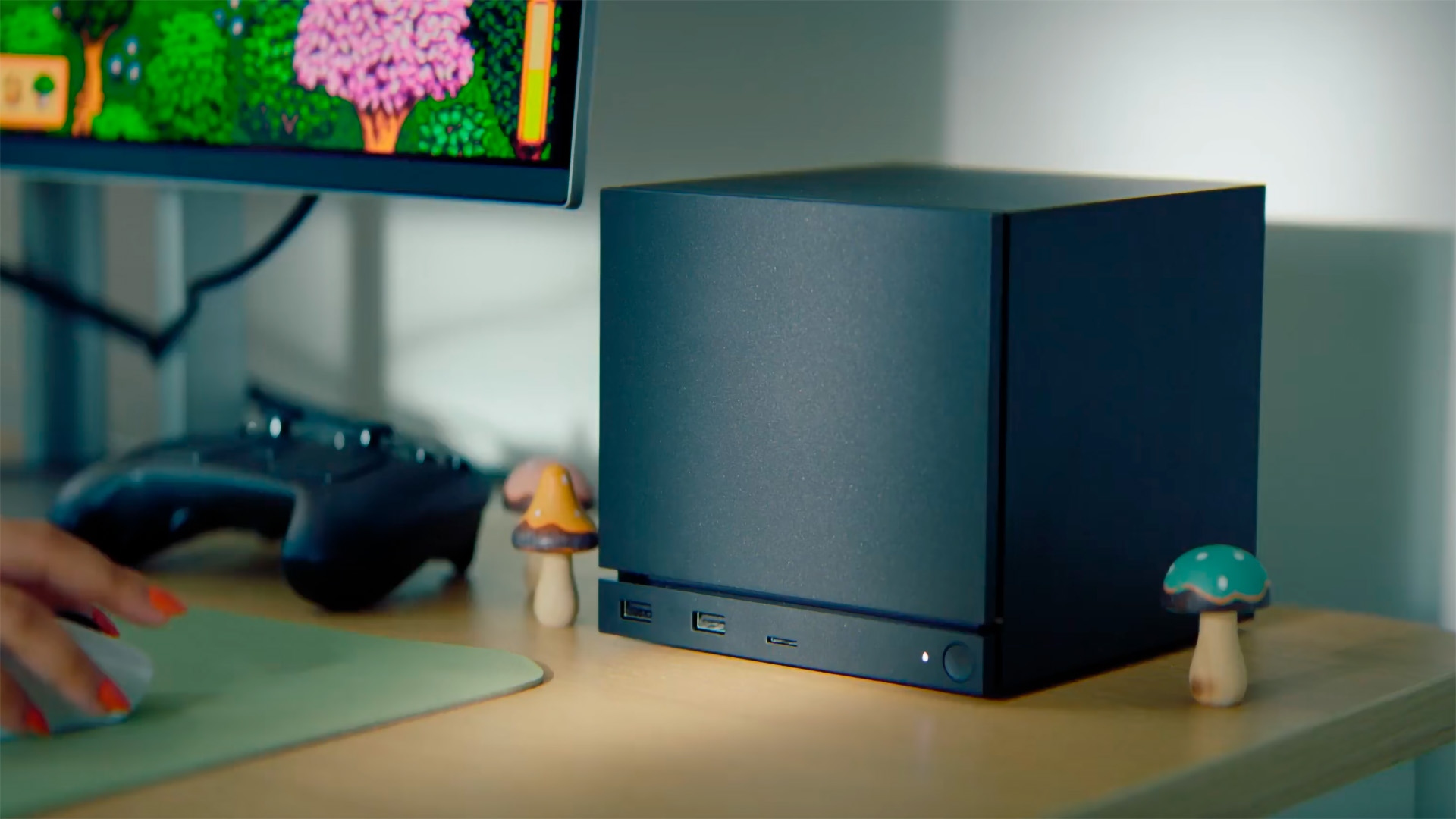
Freedman: The controller is arriving before Steam Machine and Steam Frame. Since controllers often launch with consoles, has that changed your plans or messaging?
Cardinali: Not really. We always regarded it primarily as a PC controller, rather than an accessory exclusive to Steam Machine. It is intended to work with Steam Machine, Steam Deck, Windows PCs, and wherever Steam is available. A simultaneous launch was considered if schedules aligned, but was never an internal requirement. These are independent products that work well together.
Griffais: We expect the vast majority of users to be on PC, so that audience was always the priority.
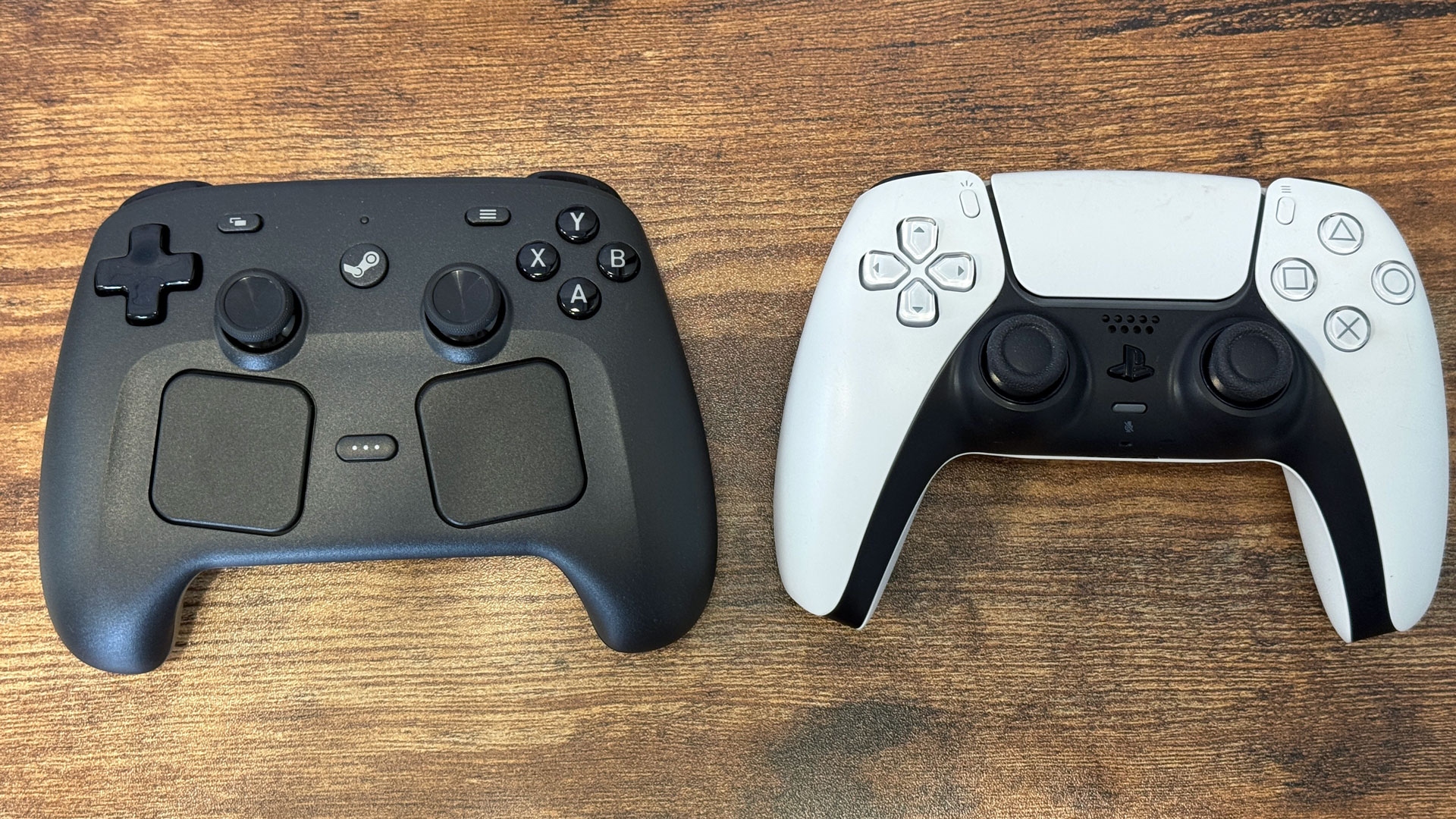
There is a clear design lineage from the first Steam Controller, but the emphasis has changed. The original was more specifically a PC-gaming peripheral; this is a conventional controller first, with additional capabilities for PC games.
That reflects feedback from original owners. They valued mouse controls and other PC-focused features but did not want to switch between a Steam Controller for PC-only games and an Xbox controller for other games. Steam Deck’s layout incorporated that feedback by putting standard controls in familiar positions while retaining the extras. The same principle carries into this controller: one device should serve both roles.
Making the controls comfortable
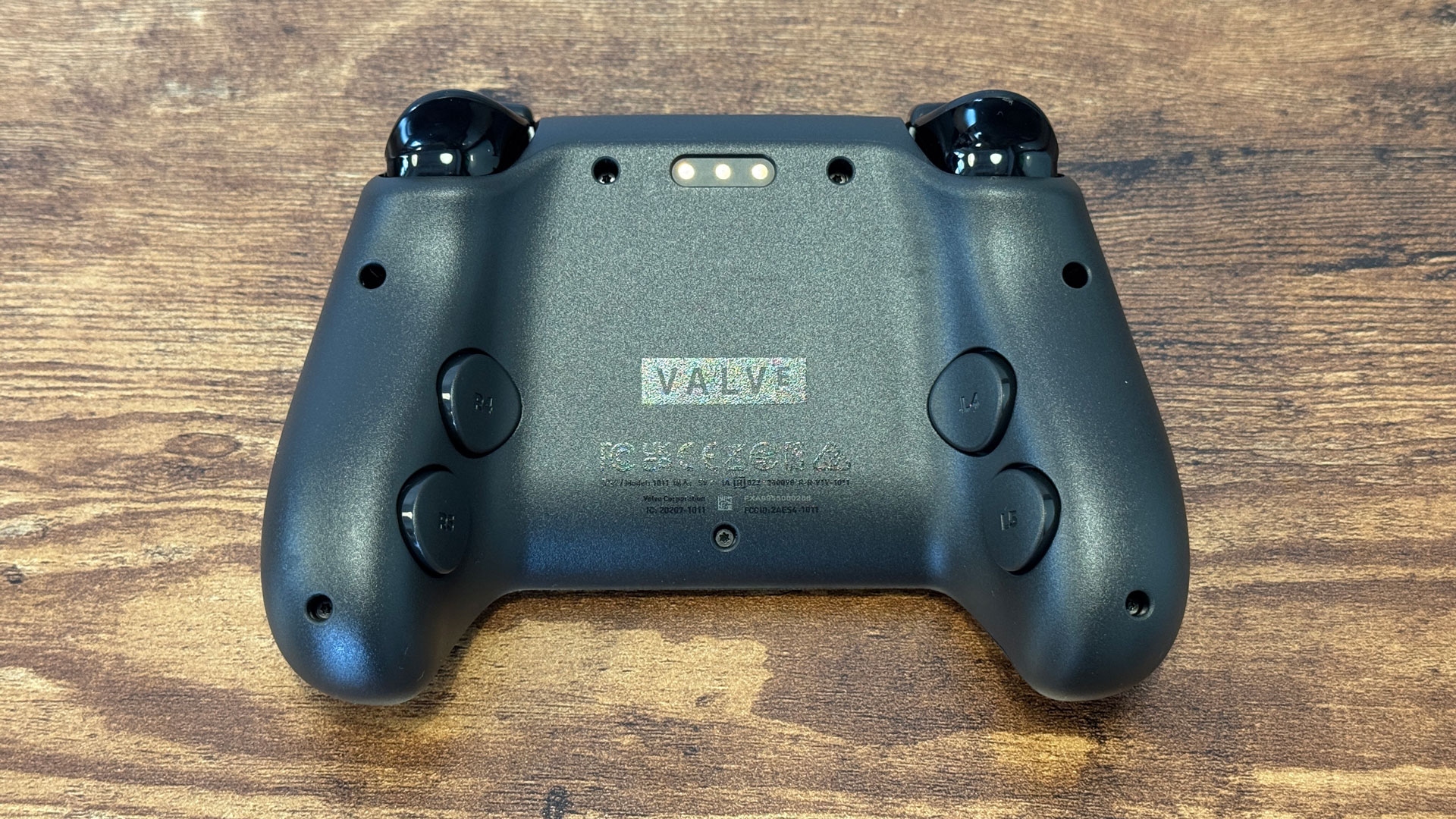
Freedman: Despite the number of inputs, I found it comfortable. How did you fit everything together without making trackpads or back buttons awkward during longer sessions?
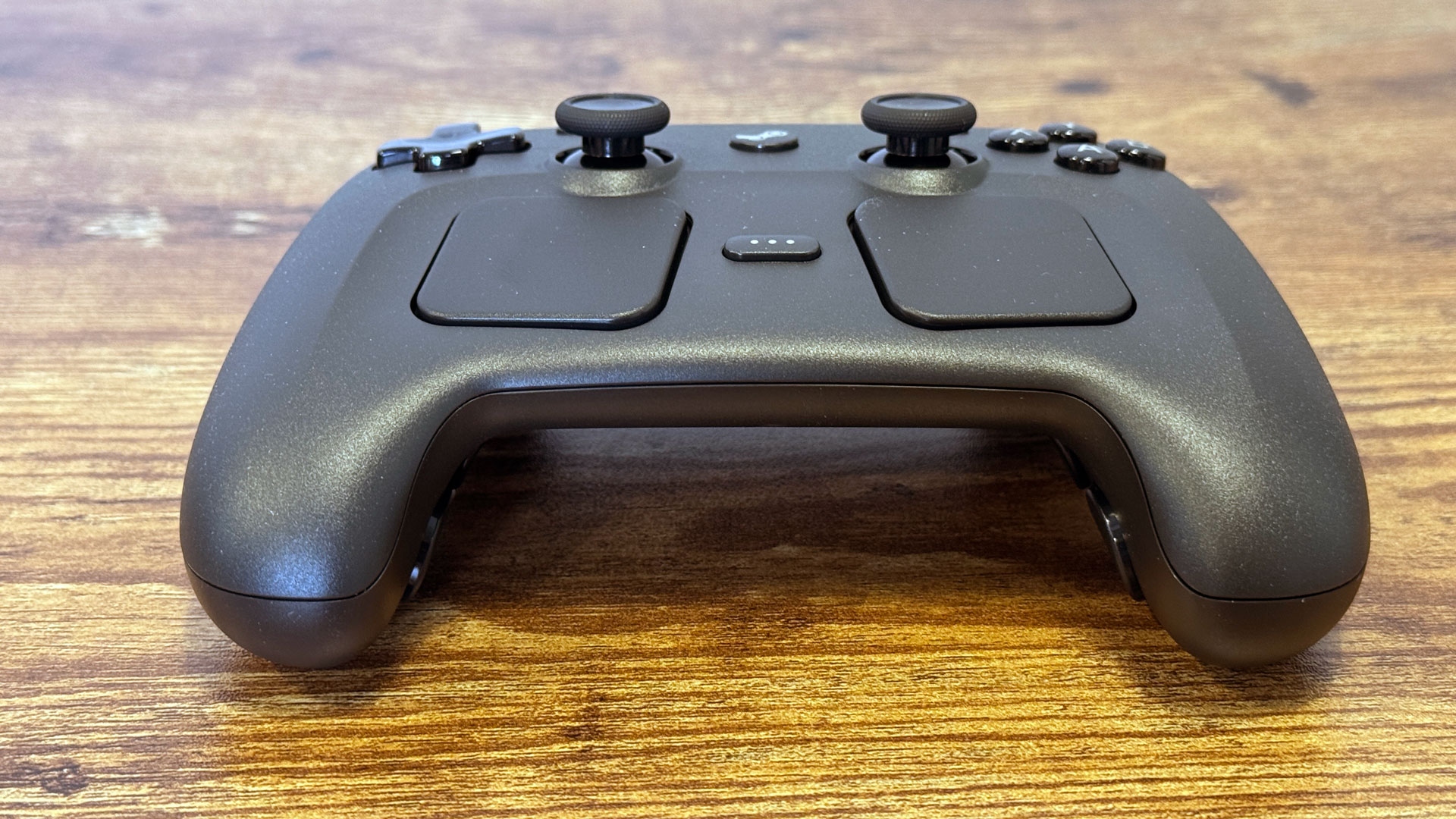
Cardinali: Through extensive prototyping. We spent an entire year on ergonomics, translating Steam Deck’s inputs into something comfortable for both small and large hands without making it feel oversized. Internal testers and outside participants played on functional prototypes. Before finalizing the ergonomic design, we had probably built more than 30 working controllers.
Many iterations explored trackpad placement and orientation. Initially, they were square and aligned with the device, as on Steam Deck, rather than the arrangement we now call “clocked and canted.” Reaching that design took considerable testing. With so many inputs, that work is necessary to make the controller comfortable for most people.
Griffais: As with Steam Deck, ergonomics ranked above appearance. We often heard that Deck looked bulky or uncomfortable, followed by a different reaction once someone held it. That reflects those priorities. We did not find a way to make it both feel great and look great, though there is always a next version.
Tariffs, shortages, and the $99 price
Freedman: How have component shortages and tariffs affected the controller’s release timing or $99 price?
Griffais: They have had an effect. The price reflects the actual cost of manufacturing the product and getting it to customers under current economic conditions, including tariffs where applicable.
Current memory shortages have relatively little impact on a controller. The situation would have been much worse during Covid, when the microcontrollers used in products like this were in short supply. That is not currently a problem. Import duties and rising shipping costs are more relevant today. The effect is smaller than on a large PC product containing substantial memory, but it is still present.
Freedman: Valve has experience shipping PCs during Covid.
Griffais: Unfortunately, yes. Global conditions seem to interfere whenever we launch hardware, but we have continued.
Freedman: Did the current pricing environment force you to remove any features?
Cardinali: Those decisions were made much earlier in development. Nothing that emerged over roughly the past year changed the final feature selection.

Andrew E. Freedman is a senior editor at Tom’s Hardware covering laptops, desktops, gaming, and news. His work has also appeared in Tom’s Guide, Laptop Mag, Kotaku, PCMag, Complex, and other publications. Find him on Threads as @FreedmanAE or BlueSky as @andrewfreedman.net, or send tips via Signal to andrewfreedman.01.